Give sound
a history.
A playable set of tone, surface, and performance controls for music, mixes, and cinematic transitions.
Coming soonNine presets are starting points, not fixed outcomes. Each stage remains adjustable after a preset is loaded.
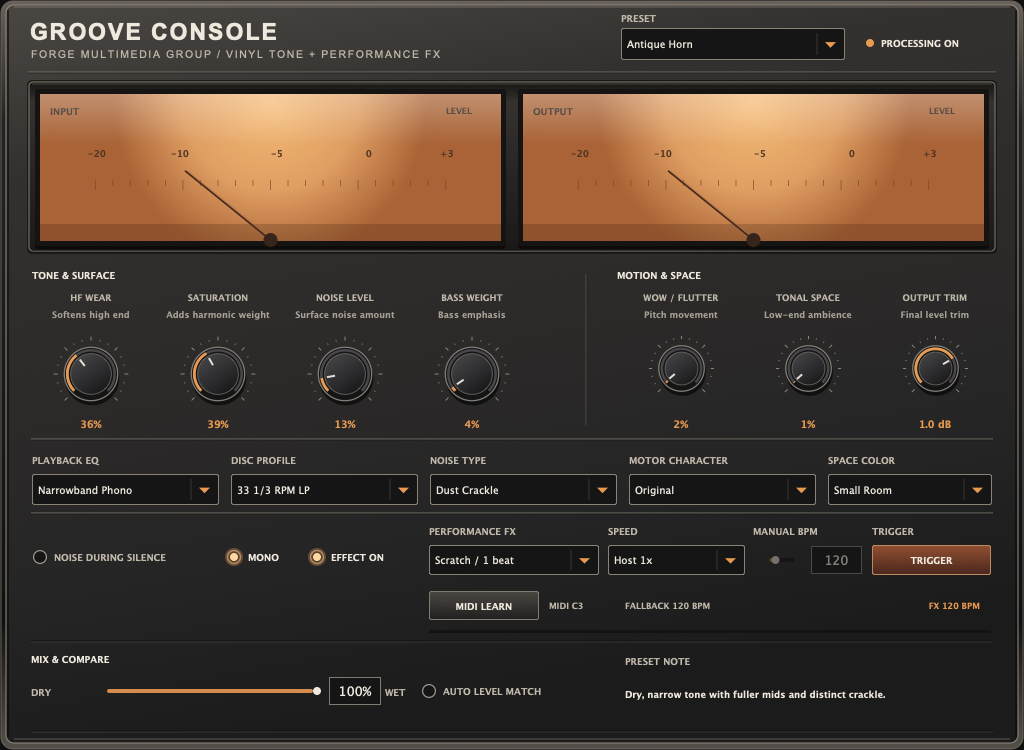
Five stages. One controlled result.
Bring audio into the processor.
Choose playback color, from gentle LP to Antique Horn.
Pick a texture and set its level independently.
Add a tempo-aware gesture when the arrangement calls for it.
Blend, level match, and trim before judging.
Nine distinct starting points.
Select a profile to see its intended character. A preset loads a sound; it does not lock the controls.
Balanced
Moderate playback color for quick comparison—not an unprocessed mastering reference.
Use the character with intent.
Drums and loops
Give a break compressed, gritty playback. Set surface type and amount separately, then trim the output for a fair comparison.
Vocals and keys
Use Soft Focus for gentler edges or Antique Horn for a dry, narrow midrange. Blend the processed signal with the original using Mix.
Cues and transitions
Move from clean to worn tone, then trigger a scratch, rewind, or stop in time with the session. Recall follows host tempo or manual BPM.
Keep control
Run surface noise continuously or only with incoming audio. Check the processed signal in mono, then use Auto Level Match and Output Trim while judging.
In development.
Groove Console is not available to download yet.
We’re refining the sound and experience before release. This page shows the current direction of the plug-in; the details may change as development continues.
Groove Console is intended for creative processing, not as a predictive simulation of how a final vinyl record will cut or play.